



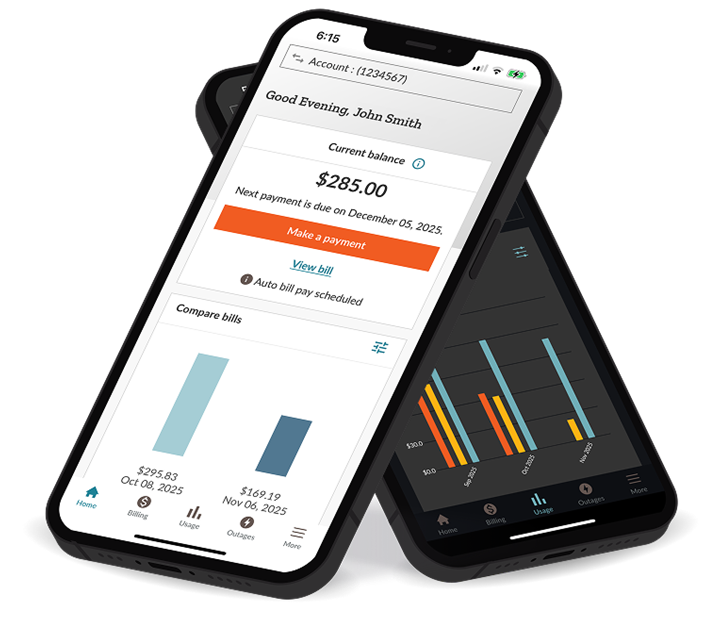
A new mobile app is here.
Managing your account is easier than ever
with our redesigned mobile app.


Enhanced features
New payment options
Streamline payments with Venmo, Apple Pay, Google Pay or PayPal
Enjoy secure, easy bill payments with your preferred digital payment method. Convenience, security and ease - all in one place.
Secure messaging inbox
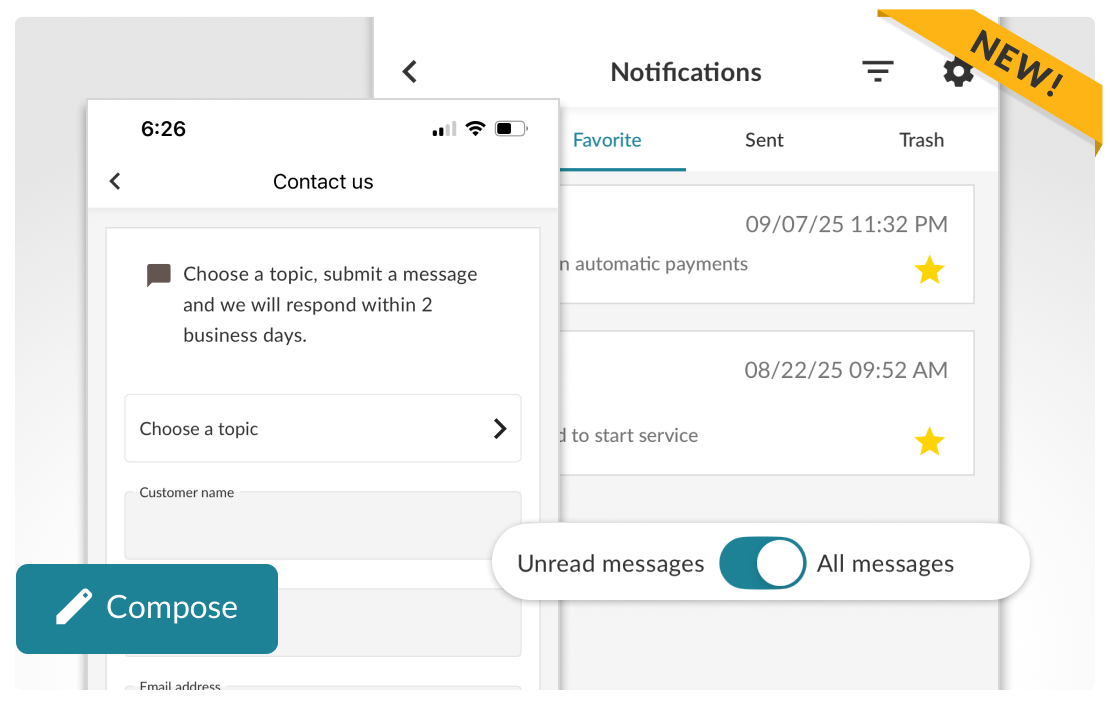
Expert help at your fingertips.
Send a secure message to our customer support team within the app. We're here to help with your billing, payment or general account questions.
More great features!
Real-time outage details
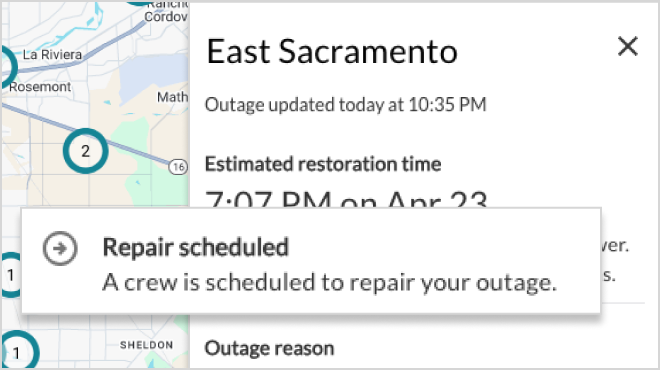
Stay informed with live outage maps, check your meter status and get updates instantly.
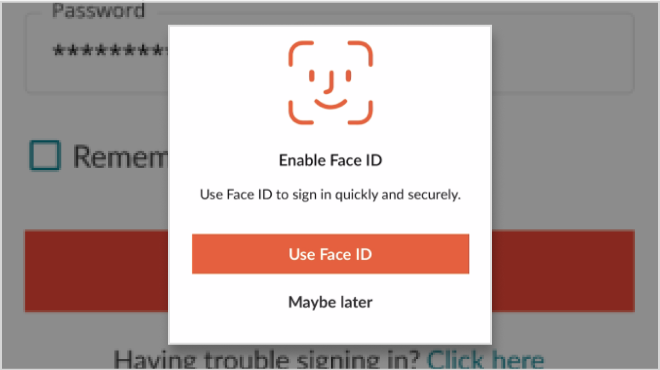
Easy, secure sign-in
No more typing your password every time. Use Face ID or your fingerprint to access your account quickly and securely.
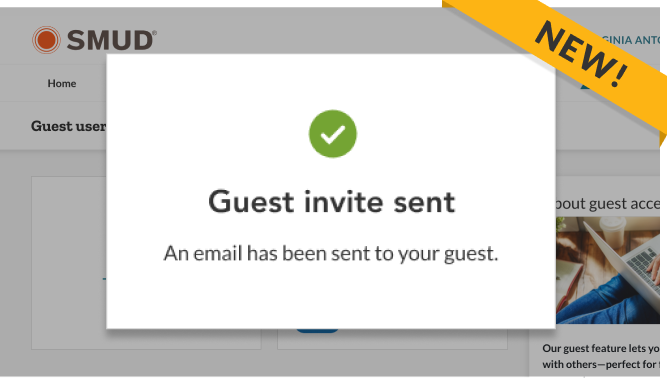
Manage guest access
Easily add, edit, or remove guest users from your account with full control — perfect for households sharing one SMUD account.

Payment options
Set up auto pay for automatic payments, or choose a payment plan if you need extra time. Manage all your payment choices conveniently in the app.

Flexible billing options
Take the surprise out of your bill by setting it at the same monthly payment for a full year. This is very useful when budgeting your household expenses.

Track your usage
View how much energy you use and compare your usage over time.

View your bill
See your latest bill, look back at past charges and download any bill for your records.

Start, stop, transfer service
Need to move or start service? Easily submit requests up to 35 days in advance, and track their progress anytime.

Manage notifications
Choose how and when you get alerts, like outage updates or bill reminders, all managed within the app.

Download the new app
Manage your energy with the new smud app—download for iOS or Android to easily view your usage, pay your bill and much more.
FAQs
How will I know when it’s time to switch to the new mobile app?
We’ll send you an email or notification with instructions on when and how to install the new app. We’ll guide you every step of the way.
I didn’t receive an email about switching to the new app. How do I get the new app?
We’re moving customers to the new app in groups. If you haven’t received an email, your turn is coming soon. If you’re a guest on another account, check with the account owner, who will get the email first.
Why is SMUD updating their mobile app?
We updated the app to give you a faster, easier way to manage your energy use and account. Our new app has improved features designed to meet your needs today and in the future.
Do I need to delete the old app?
Yes, once you install the new app, you can delete the old app that won’t work any longer.
What should I do once I download the new app?
After downloading, you need to:
- Sign in using your current My Account username and password.
- Add or update your payment method to make future payments easier.
- Set up Auto Bill Pay if you want to pay bills automatically.
- Enroll in Paperless Billing to save time, reduce paper waste and help the environment.
- Update your notification preferences to stay informed.
I’m a current app user and my app isn’t working. What should I do?
We’re moving customers to the new app in groups. While this happens, the old app may not work. Please use MyAccount.smud.org to pay bills and manage your account until you switch.
How can I report an issue with the new app?
If you need help using the new mobile app, please call us at 1-855-742-SMUD (7683), Monday through Friday, 7 AM to 7 PM.
Will my login information change?
No, you keep your existing user ID and password. If you’re having trouble accessing your account, please call us at 1-855-742-SMUD (7683).
How can I let someone I trust access my SMUD account securely?
With the guest access feature, you can safely add a trusted person like a spouse or caregiver. They can view your account, check bills and make payments without sharing your login info.
What changes will affect people that have multiple accounts?
You can manage up to 5 residential accounts in the new app using the account dropdown. For 6 or more accounts, please use MyAccount.smud.org.
I have a business account. Can I use the mobile app?
Business customers cannot use the app. Please manage your account at MyAccount.smud.org.
Will my alert and notification preferences carry over?
Some alerts may change when you move to the new app. You can update and customize your alerts when you sign in.
Will my current payment method be available in the new app?
No, saved payment methods don’t transfer over to the new app. You can add a new payment method when you make your next payment in the new app.
Will my Auto Bill Pay information transfer to the new app?
No, you must re-enroll in auto pay after signing in to the new app. Find it under “Billing” and then the “More options” menu.