


Time-of-Day (Low Use) Rate
The Time-of-Day (Low Use) Rate is a new optional rate designed for a small group of residential customers who don’t use much energy and have a panel size less than or equal to 125 amps. It has the same structure as the standard Time-of-Day (5-8 p.m.) Rate but a lower monthly System Infrastructure Fixed Charge ($17) and slightly higher energy charges.
Manage your electricity use
You can save on your SMUD bill by continuing to keep your energy use low, especially between 5 p.m. and 8 p.m. Monday through Friday. Just like the standard Time-of-Day (5-8 p.m.) Rate, when you use electricity is just as important as the amount of electricity you use.
Are you an electric vehicle (EV) owner? Learn how you can get an EV discount on your electric bill.
Get started: Do I qualify?
Enter a little information about your household below to see if you qualify for the Time-of-Day (Low Use) Rate.
- Confirm that your panel size is less than or equal to 125 amps.
- Confirm that your monthly electricity usage is 270 kWh or less by logging into My Account.
If you qualify and are ready to enroll or need help confirming your panel size or usage, call our Contact Center at 1-888-742-7683 Monday through Friday, from 7 AM - 7 PM.
Is your household's electrical panel size less than or equal to 125 amps?
How much (kWh) electricity does your household use every month?
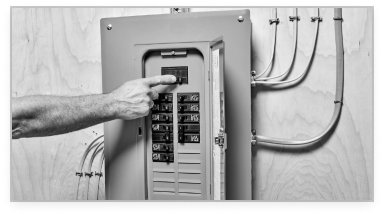
How to determine your home's panel size:
For single family homes:
|
 |
For apartments:
If no access to panel is available: Most apartments have a 100 amp breaker. Reach out to the main office or property management company to confirm.
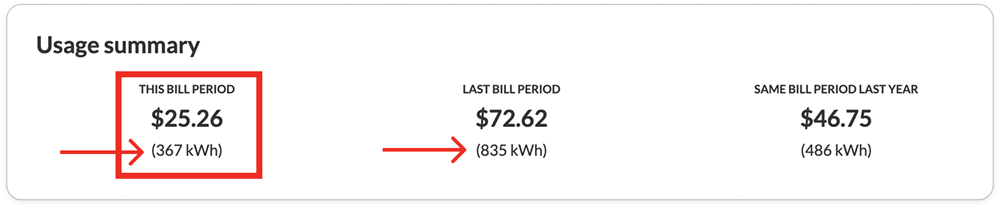
Digital bill in My Account:
- Login to My Account
- Select Billing & Payments > Bill history > view bill
- Find your monthly kWh under Usage summary
Paper bill:
- Use your most recent bill
- Identify Usage Summary on the first page
.ashx)
Rate details
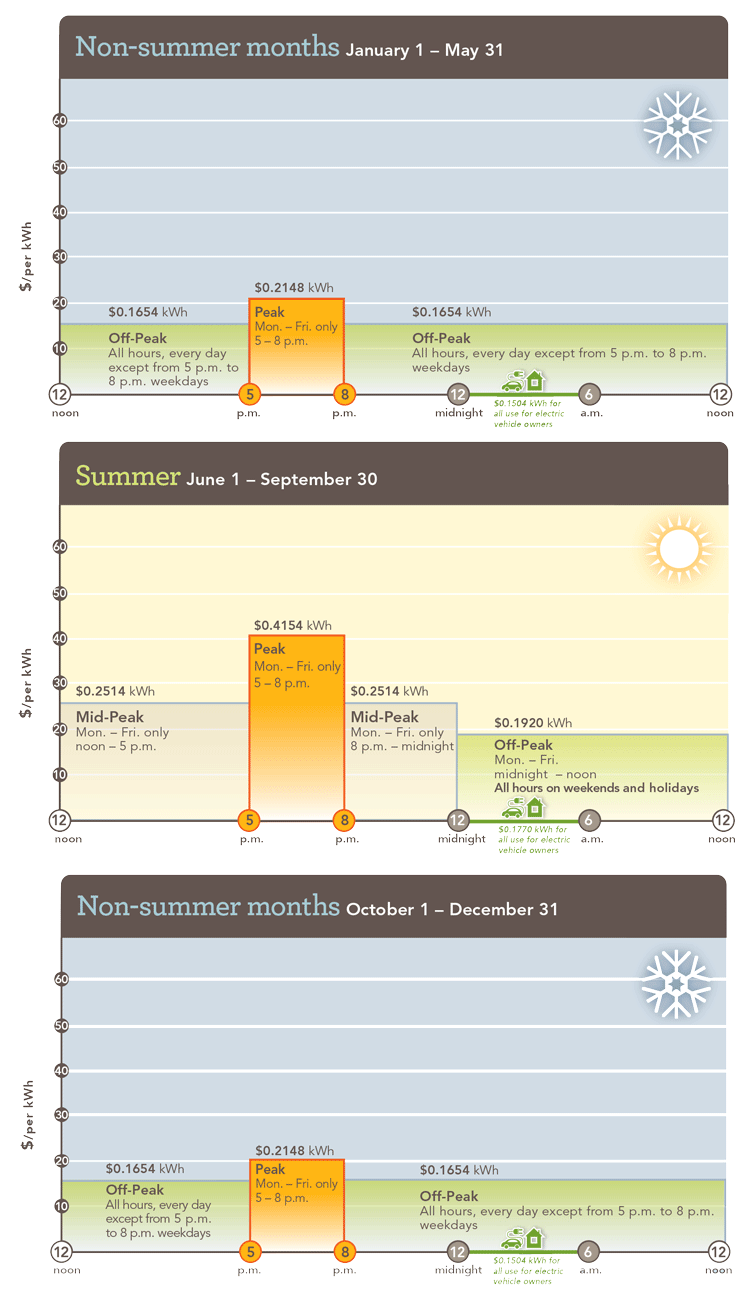
On the Time-of-Day (Low Use) Rate, you pay different rates for electricity based on the season and the time of day that you use it. The charts below show the time periods and rates for the non-summer months and summer season. Download a print-friendly version of the 2026 time periods and prices.